

If you want to print your own proxy cards for Magic the Gathering, you’re probably in one of two moods: “i need to test this deck tonight” or “i’m not paying rent money for a mana base.” Both are valid. Proxies have been part of MTG culture forever, and when you do it responsibly, they’re one of the best ways to brew, playtest, and keep your group’s games fresh.
Let’s walk through the clean, simple way to do it at home, plus the shortcut option if you’d rather skip arts-and-crafts night. And yeah, we’ll talk about ProxyMTG’s tools, because they’re built for exactly this.
Print your own proxy cards for Magic the Gathering at home (the fast playtest method)
Home printing is the quickest path to “i can shuffle this tonight.” The goal is not perfection. The goal is: readable cards, correct size, and a deck that doesn’t feel marked in sleeves.
Here’s the basic workflow:
- Start with a clean decklist.
Use whatever you already have: Moxfield, Archidekt, Scryfall exports, a text list from your notes app. Just make sure card names are correct and quantities are right. - Turn the list into a printable layout.
You have two common options:
- use a proxy PDF generator site that outputs pages of cards (9-per-page style)
- build your own sheet in an editor (more work, but total control)
If you’re doing this often, the first option is the sanity-preserving one.
- Print a single test page before you print everything.
This saves you from the classic mistake: you cut 90 cards and realize they’re all slightly too small. Ask me how i know.
Get the sizing right: card dimensions, scale, DPI, and why your printer lies
Most “my proxies feel off” problems come from one of these:
Problem 1: scaling.
When you print a PDF, your printer (or browser) loves to default to “fit to page.” That shrinks the cards. You want 100% scale (sometimes called “actual size”).
Problem 2: the real card size.
MTG cards are standard trading card size, roughly 2.48″ x 3.46″ (close enough to “2.5 x 3.5” for normal humans). If your print layout doesn’t match that, it’ll feel wrong in a sleeve.
Problem 3: low-res images.
If the text looks fuzzy, it’s usually the source image, not your printer. For readable rules text, aim for print files that are at least “decent” resolution (300 DPI is a good baseline for most proxy layouts).
One easy test: put a real Magic card on your desk, hold your printed cutout on top, and check borders and height. If it’s off, fix scaling before you print the whole deck.
Paper, cutting, and sleeves: making home proxies feel playable
You’ve got three realistic “at home” builds:
Option A: regular paper + sleeves + a bulk common behind it
This is the go-to. It’s cheap, and the real card behind the printout gives it the right stiffness.
Option B: heavier cardstock
Cleaner feel, but cutting gets pickier. Some cardstock cracks or frays on corners, and your printer may hate it.
Option C: photo paper (usually not worth it)
Gloss can look nice, but it can also smear, stick, or look strange under sleeve glare. It’s also the easiest way to end up with a deck that feels different card-to-card.
Cutting matters more than people think. If you can, use a paper trimmer instead of scissors. Scissors work, but they also create “this card is slightly wider than the rest” issues, and that’s how you accidentally make marked cards.
And sleeve everything the same. Proxies, real cards, basics, all of it. Consistency keeps the table calm.
When you’re tired of DIY: ProxyMTG’s “decklist to printed deck” tools
Sometimes you don’t actually want to print at home. You want the end state: a deck that shuffles cleanly, looks consistent, and doesn’t feel like a school project.
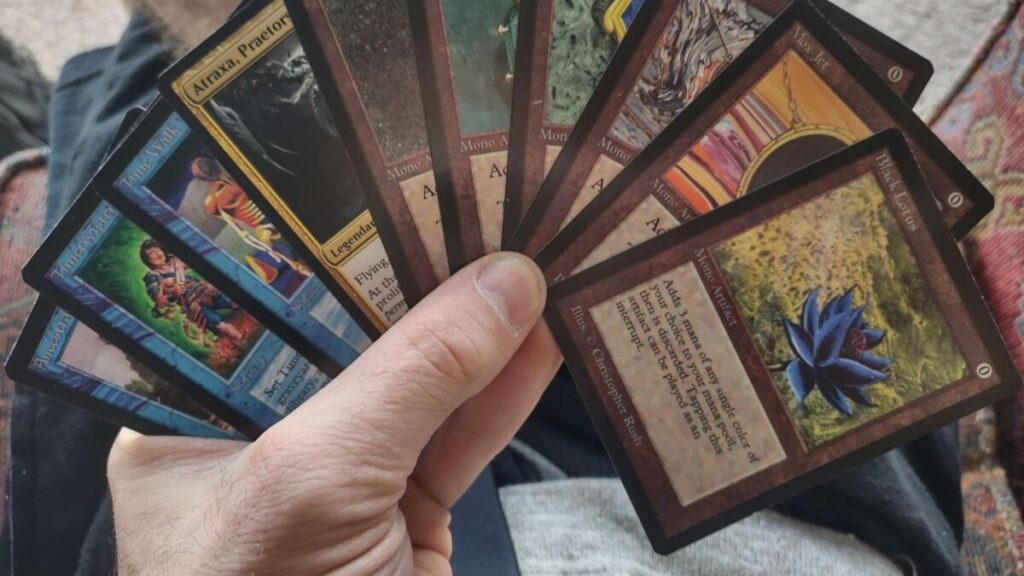
That’s where ProxyMTG is useful, because their workflow is built around speed:
- Upload a decklist (or build from search)
- Choose versions and art when options exist
- Set quantities quickly
- Double-faced cards are handled automatically so you’re not juggling two printouts for one card
- They recommend custom backs to keep the “these are proxies” line clear and reduce drama
And instead of paper cutouts, you’re getting printed cards made to be consistent in sleeves. If you’re doing cube updates, ProxyMTG even has a solid “only print what changed” mindset that saves a ton of effort. Their cube piece is worth bookmarking: MTG Proxying a Cube: Keep It Updated Without Reprinting Your Life Story.
So think of it like this:
- Home printing is for quick testing and one-off nights.
- ProxyMTG’s tools are for when you want a clean, repeatable process and a deck that feels consistent every time you play.
And yes, if your goal is still to print your own proxy cards for Magic the Gathering, you can do that either way. One method is hands-on. The other is “i uploaded my list and moved on with my life.”
Common proxy printing mistakes (and quick fixes)
“My cards are slightly too small.”
You printed “fit to page.” Reprint at 100% scale.
“The text is blurry.”
Your source images are low resolution. Try a different print source or a cleaner card image set.
“My deck feels marked.”
Some cards are thicker or cut differently. Sleeve everything, use the same backing method, and avoid mixing cardstock types.
“My group is annoyed.”
Usually it’s not the proxies. It’s readability, unclear labeling, or power-level mismatch. Mark your proxies clearly and have the quick Rule 0 chat before the game starts.
FAQ
Can i use proxies at my LGS?
Sometimes. If it’s sanctioned, assume no. If it’s casual Commander night, ask the store or the pod. Store policies vary.
Should i print official card backs?
I wouldn’t. Custom backs or clear “PROXY” markings prevent confusion and keep you far away from anything that looks like counterfeiting.
Do i need perfect print quality?
No. You need readability. Clean name, mana cost, rules text, and obvious proxy labeling is the goal.
What’s the fastest way to do this for a whole deck?
If you’re printing at home, use a decklist-to-PDF layout and do a one-page test print first. If you want to skip home printing, ProxyMTG’s decklist upload and card search tools are the fastest “hands off” route.
Closing thoughts
If you’re brewing a new Commander list or playtesting a swap-heavy deck, proxies are just a practical tool. Home printing gets you playing tonight. ProxyMTG gets you to a consistent deck without the cutting, scaling mistakes, and paper scraps all over your desk.
Either way, keep it readable, keep it clearly labeled, and keep it casual. That’s how you print your own proxy cards for Magic the Gathering without making it weird.